Feature
Roles & Permissions
Granular, role-based access control
Five roles — super admin, org admin, project manager, team lead, and member — each see and edit exactly what they should.
- 5-tier role-based access control
- Row-level security (enforced in the DB)
- PM-only & member modes
- Need-to-know visibility
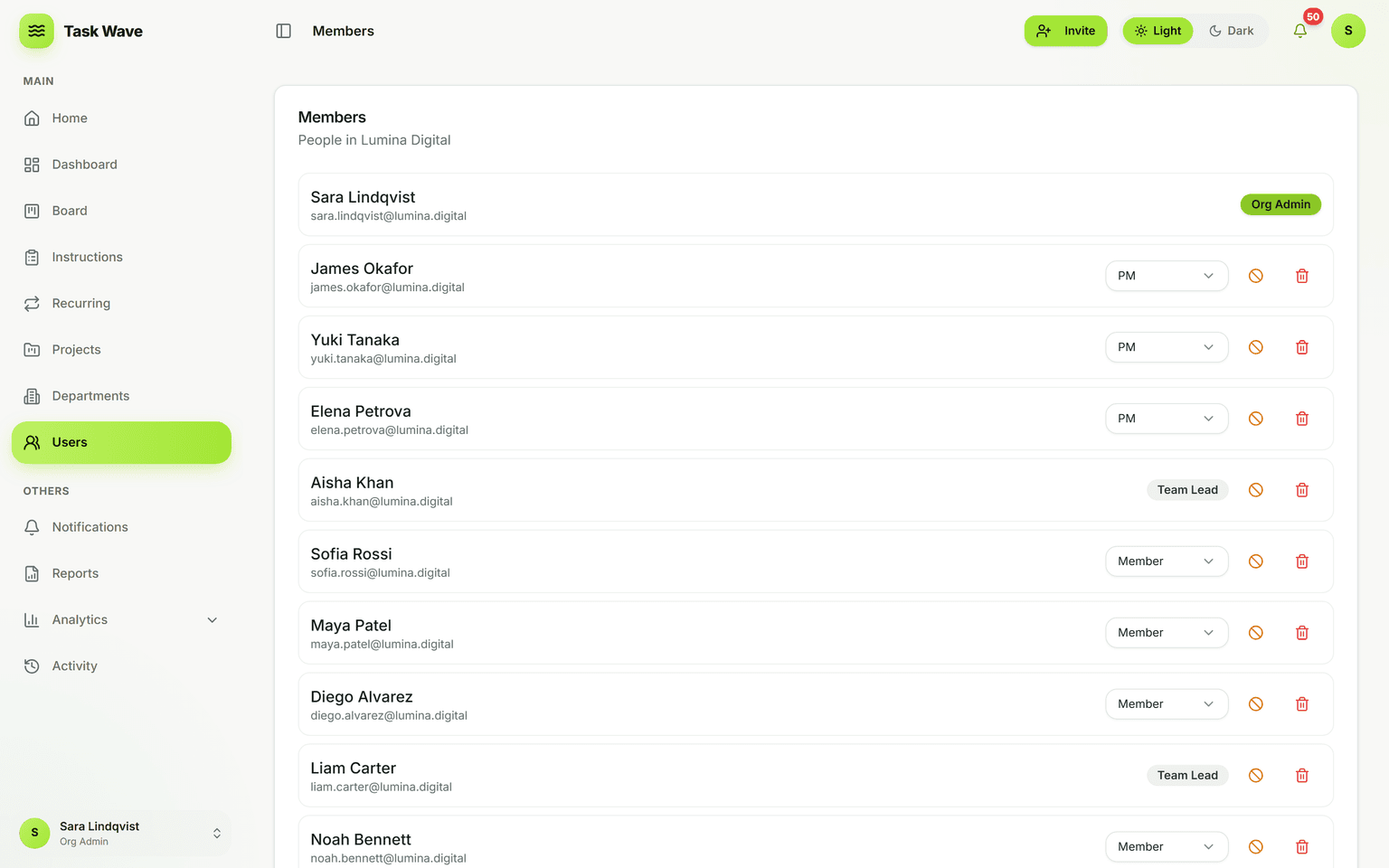
TaskWave enforces access at the database level with row-level security, so permissions can’t be bypassed by the UI. Five roles cover everyone from system oversight to individual contributors, and a PM-only mode lets project managers run everything for smaller teams. People only ever see the projects and departments they’re entitled to.
Why role-based access is not optional
When everyone can see everything, people avoid putting sensitive work in the system. When permissions are too rigid, people work around the system. Role-based access control with the right granularity makes the platform safe enough to use for real work — including HR tasks, financial data, confidential projects, and client deliverables.
The five roles in TaskWave
- Super admin: cross-organization visibility and console access; manages the TaskWave instance and multiple organizations.
- Org admin: organization-wide access; manages users, departments, settings, and sees all work. Typically an operations or IT lead.
- Project manager (PM): manages projects, creates and assigns tasks across the org, and sees org-wide analytics. Can operate in PM-only mode for smaller setups.
- Team lead: manages their department's members and sees/assigns their department's work. Managed autonomy without org-wide admin rights.
- Member: sees and acts on their own tasks and department tasks. The default role for individual contributors.
Row-level security: enforced in the database
TaskWave uses row-level security (RLS) enforced in the database, not just in the application layer. That means access rules hold even if someone bypasses the UI — the database simply won't return data the user isn't entitled to. This is the difference between UI-level permissions (which can be circumvented) and database-level enforcement (which cannot).
PM-only mode
For smaller organizations or simpler setups, PM-only mode lets project managers run everything without needing org-admin rights for everyone. This removes a tier of complexity while retaining the task and project management capabilities that drive the platform.
Practical examples
- HR department tasks are visible only to HR members, their team lead, and admins — not to engineering.
- A client project has a PM who manages it, but other PMs don't see it unless explicitly included.
- A team lead assigns and tracks their department's work without seeing other departments.
- A member sees exactly the tasks assigned to them, with no exposure to unrelated work.
Related features
Roles and permissions underpin departments (department-scoped visibility), multi-tenancy (cross-org isolation), analytics (role-scoped data views), and instructions/SOPs (role-aware editing).