Feature
Project Management
Projects, stakeholders, and a Kanban board
Organize work into projects with an assigned project manager, tracked stakeholders, and a drag-and-drop Kanban board.
- Project-scoped tasks & assigned PMs
- Kanban board + grid views
- Stakeholder tracking (assigned-by, no logins)
- Instant project switching
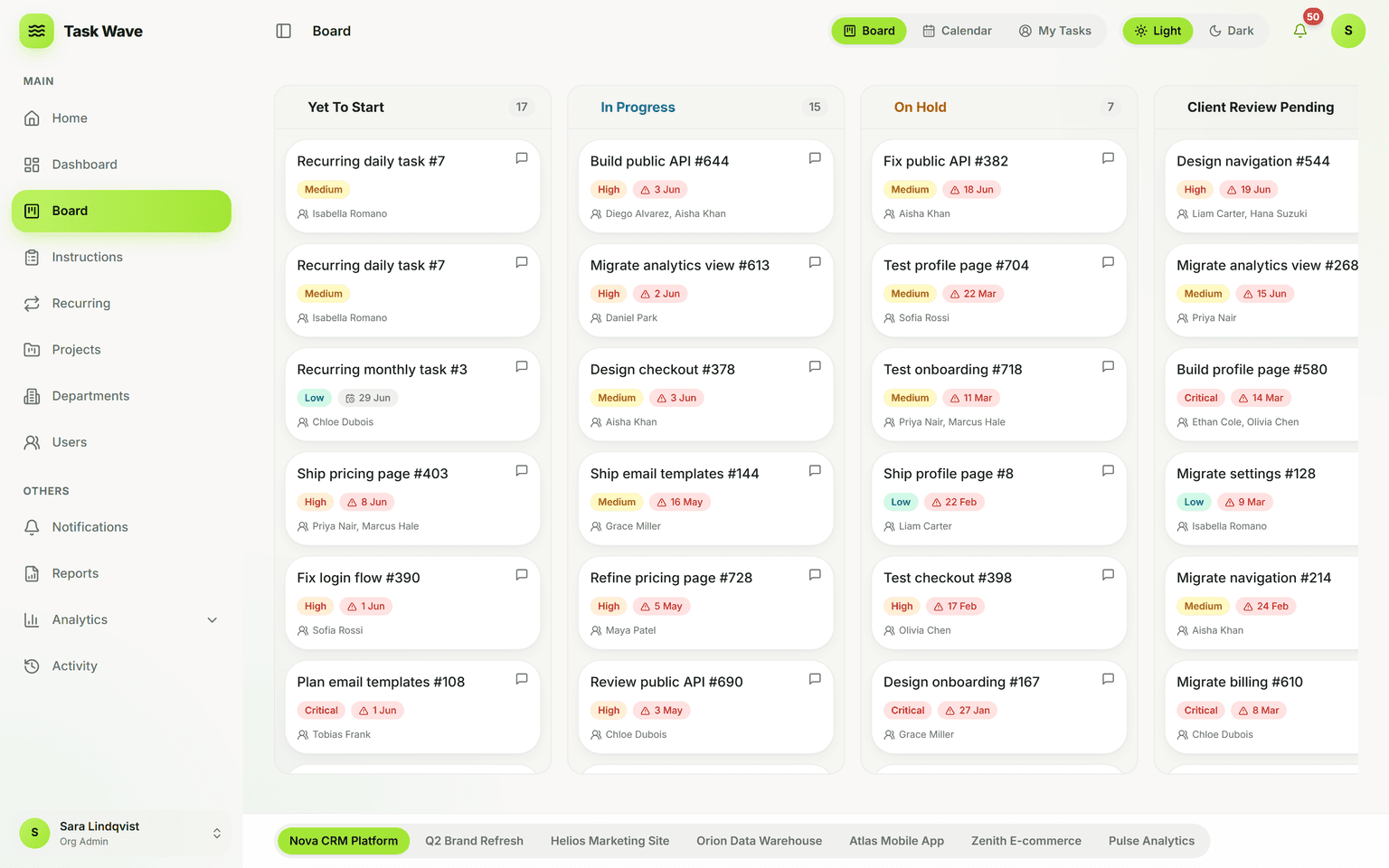
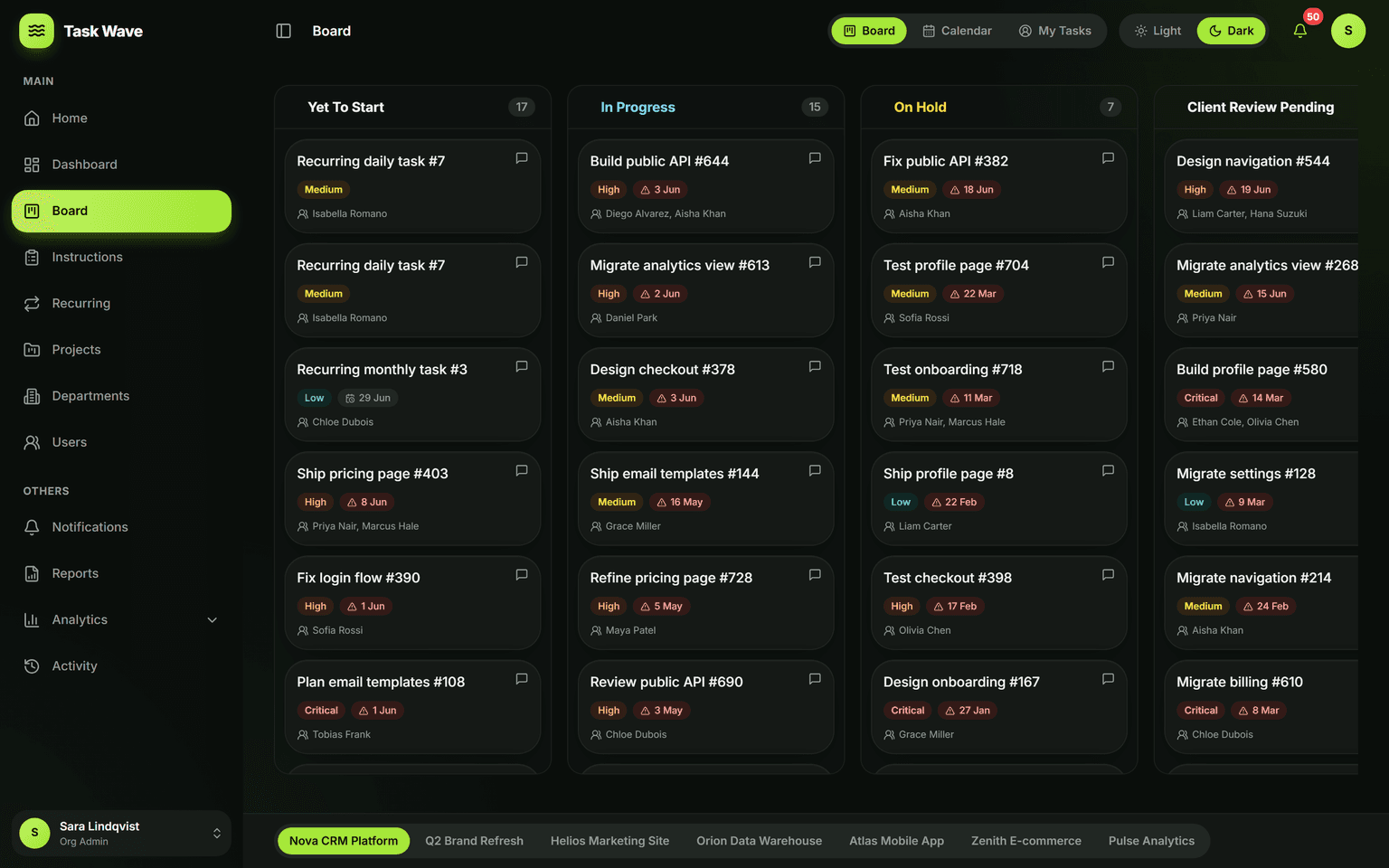
Every project gets an owner (PM), its own tasks, and stakeholders recorded as assigned-by for context — no external logins required. Work the project as a fast grid or a drag-and-drop board grouped by status, and switch between projects in a click. Project-scoped access keeps each team focused while admins keep the org-wide view.
What project management means beyond a to-do list
Project management is the practice of organizing a set of related tasks toward a common goal, with clear accountability and a timeline. A project is not just a label — it gives work a manager, a set of stakeholders to inform, a scope to contain, and a shared board where everyone can see where things stand. Most teams discover they need project management when they realize task tracking alone doesn't answer "is this going to be done on time?"
How TaskWave structures a project
Every project in TaskWave has a project manager (assigned from the team), a set of stakeholders recorded for context (no logins required), and all its tasks in one place. Projects can span departments, have multiple contributors, and carry recurring task templates for repeating work inside the project lifecycle. Switch projects from a tab bar — the same grid and board that handle single tasks scale to any project size.
The Kanban board
Every project also has a Kanban board grouped by task status. Drag a card from In Progress to Completed and the grid updates live — the same task, the same data, just a different view. The board is most useful for spotting flow and bottlenecks: when several cards pile up in In Progress while Completed is sparse, it's visible immediately, not hidden in a cell.
Stakeholders without logins
Clients, sponsors, and partners can be tracked on a project as an "assigned by" field — giving your team context on whose request a task represents, without ever giving external parties system access. When you're ready to share progress, export a report. If you need a fully client-facing branded product, white-label is available.
Who uses project management in TaskWave
- Agencies running multiple simultaneous client projects
- IT and software teams managing delivery by squad and project
- Operations teams with a mix of ongoing work and one-off projects
- Construction and field service companies with site-level project structure
- Consulting firms where each engagement is a discrete project
From project to insight
Because every task carries an ETA and a status, TaskWave's analytics roll up project health automatically: completion rate, on-time performance, throughput, and workload — per project, per department, and per person. Reporting that used to take a morning generates in a click.
Related features
Project management in TaskWave connects to departments (which team owns which tasks), recurring work (templates inside projects), analytics (project-level dashboards), and reports (export per-project summaries for leadership or clients).