Feature
Kanban Board
Visualize work as it flows
A drag-and-drop Kanban board that shows every task by status, per project — the same live data as the grid.
- Drag-and-drop status changes
- Columns reveal bottlenecks instantly
- Same live data as the grid
- Per-project boards with quick switching
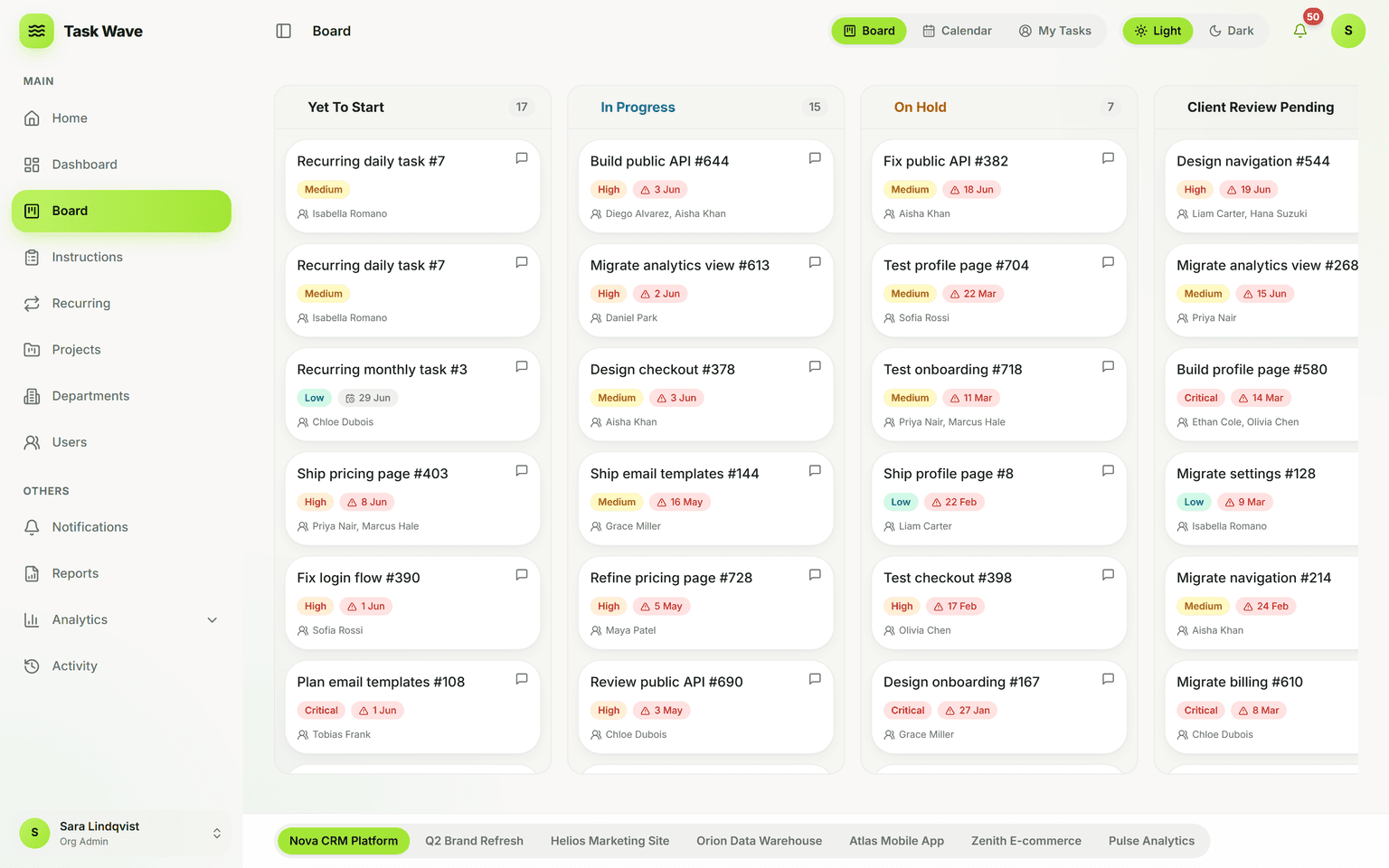
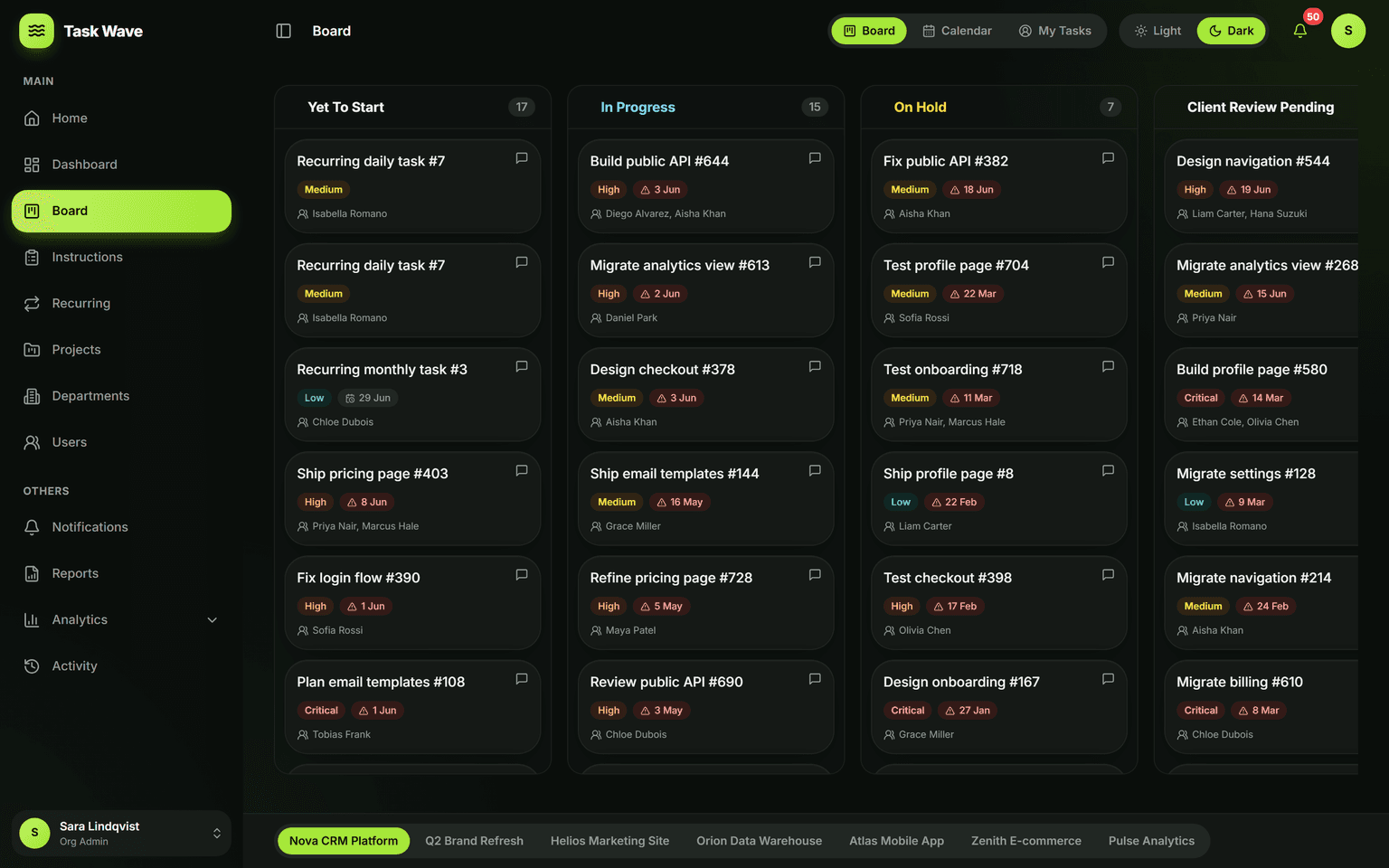
TaskWave’s Kanban board groups tasks into status columns (Yet To Start, In Progress, On Hold, Client Review Pending, Completed) so flow and bottlenecks are obvious at a glance. Drag a card to change its status, open any card for the full task drawer, and switch projects from the tab bar. Prefer detail? The same tasks appear in a spreadsheet-fast grid — one source of truth, two views.
What a Kanban board actually does for a team
A Kanban board makes work flow visible. Instead of reading a list to understand status, you see every task placed in a column — Yet To Start, In Progress, On Hold, Client Review Pending, Completed — and the distribution across those columns tells you immediately where work is flowing and where it's stuck. That at-a-glance clarity is why Kanban has become the default view for delivery-focused teams.
How TaskWave's Kanban board works
TaskWave's board groups every task in the current project by its status column. Drag a card from In Progress to Completed and the task updates live — the same change reflected instantly in the grid view. There's no sync delay and no separate board-vs-grid data model. Switch between board and grid using the tab at the top of the project; both are live windows onto the same tasks.
Columns and statuses
- Yet To Start — work that has been assigned but not yet begun
- In Progress — actively being worked on
- On Hold — paused, waiting on an external dependency or decision
- Client Review Pending — complete internally, waiting for sign-off
- Completed — done and scored for on-time performance
Spotting bottlenecks at a glance
When several cards pile up in one column — especially On Hold or Client Review Pending — the board makes that visible immediately. A grid of rows doesn't surface congestion; a set of columns does. Teams that run daily standups with the board open can identify stuck work in the first two minutes and unblock it the same day.
Opening a card for full context
Click any card to open the full task drawer: comments, file attachments, issue details, revisions, and a complete activity timeline. You get the context to understand and act on the task without leaving the board view — no context-switching to a separate detail screen.
Board vs. grid: two views, one truth
Some work is better done in rows (bulk editing, filtering, searching across every field) and some is better done in columns (flow visibility, quick status changes, daily standups). TaskWave gives you both, using exactly the same data. There's no separate board you maintain alongside a spreadsheet — changes in one view are immediately visible in the other.
Who benefits most from a Kanban board
- Development and design teams running sprint or flow-based delivery
- Agency and client-services teams where work passes through review stages
- Operations teams that run concurrent streams of work across departments
- Any team that prefers visual status over reading a grid
Related features
The Kanban board shares data with task management (the grid), project management (per-project boards), analytics (throughput and status-mix charts), and notifications (due-date and overdue alerts that appear regardless of which view you're in).